Set Up, Score, Explain
Set up your contest, let the jury score at the stage, get the result from a fair method, and explain every number.
SET UP YOUR CONTEST
- 19 ready-made templates bring criteria, weights and the score scale; or start from a blank contest.
- Contestants can be individuals or teams; import them from a CSV file and draw the order of performance.
- Add categories, rule notes, date and venue.
JURY AND STAGES
- Jury members, a head judge, judge weights and conflict rules: a judge cannot score their own organization or contestants you pick.
- Preliminary, semi-final and final: each stage has its own criteria, number of finalists, carry-over of the previous score and an audience vote share.
SCORING AT THE STAGE
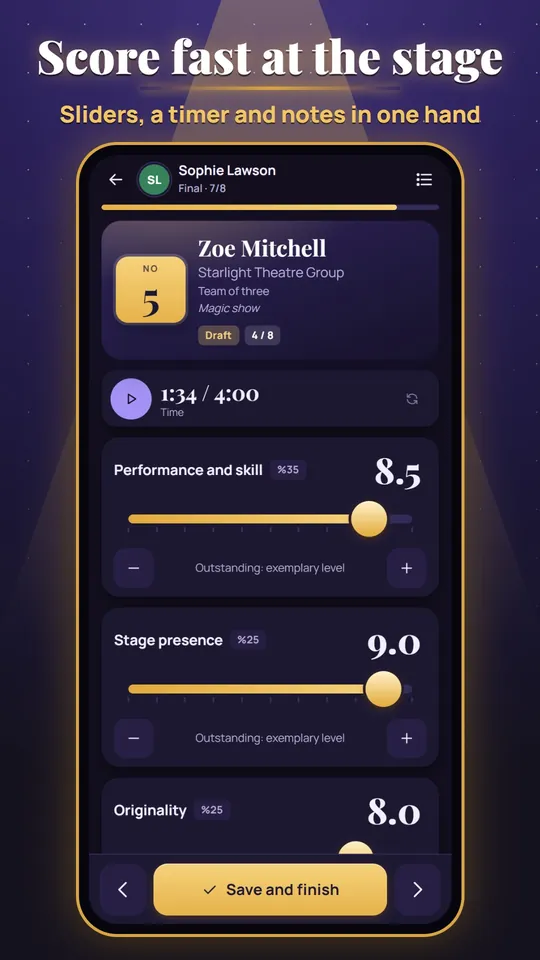
- Large sliders or a number pad, a performance timer and a note field; easy one-handed use.
- Half-finished scoring is kept and the app moves to the next contestant on its own. With blind voting, nobody sees anyone else's scores until the stage is closed.
A FAIR RESULT ENGINE
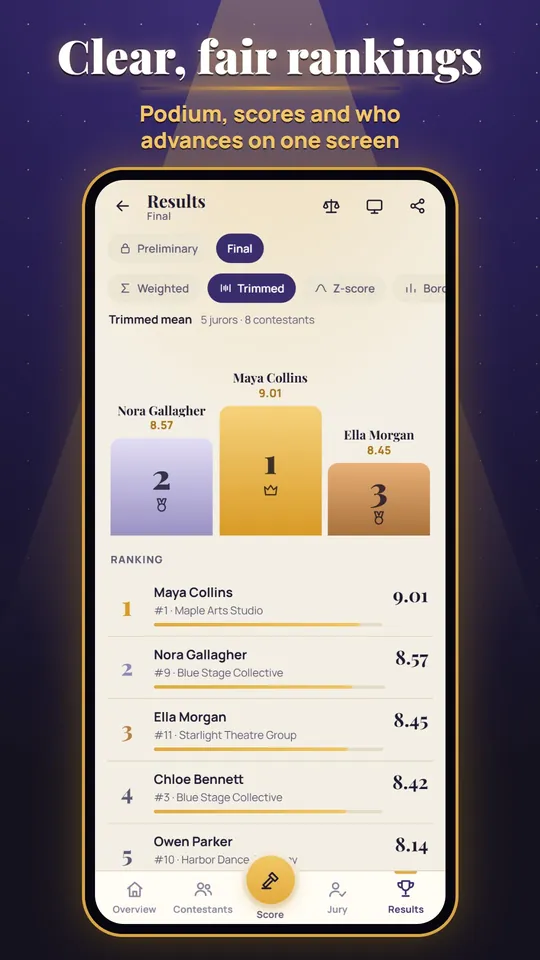
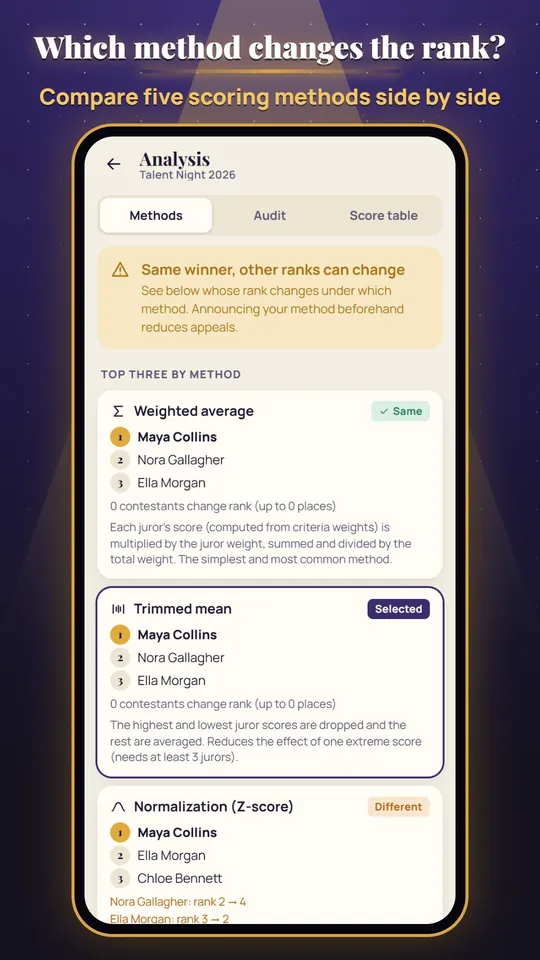
- Weighted average, trimmed average, normalization (z-score), rank sum (Borda) and median.
- Method comparison on the same data, strict-judge and outlier checks, and clearly defined tie-break rules.
Why JudgeDesk?
Instead of paper, pens and tangled spreadsheets: a fast, transparent jury process that stands up to appeals.
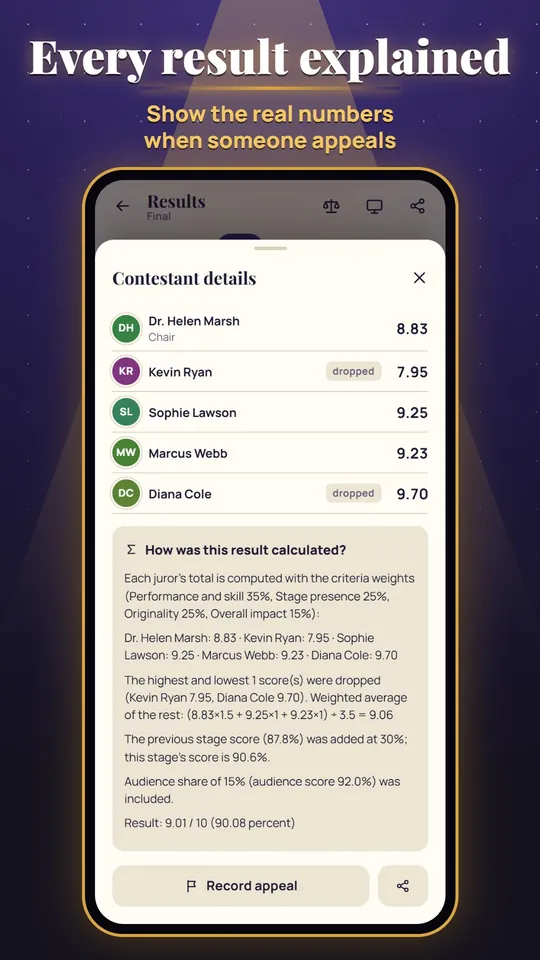
EVERY RESULT EXPLAINED
- Each result is shown with its formula and the real numbers.
- Appeals are recorded and go into the minutes together with the decision note.
SEVERAL PHONES, NO INTERNET
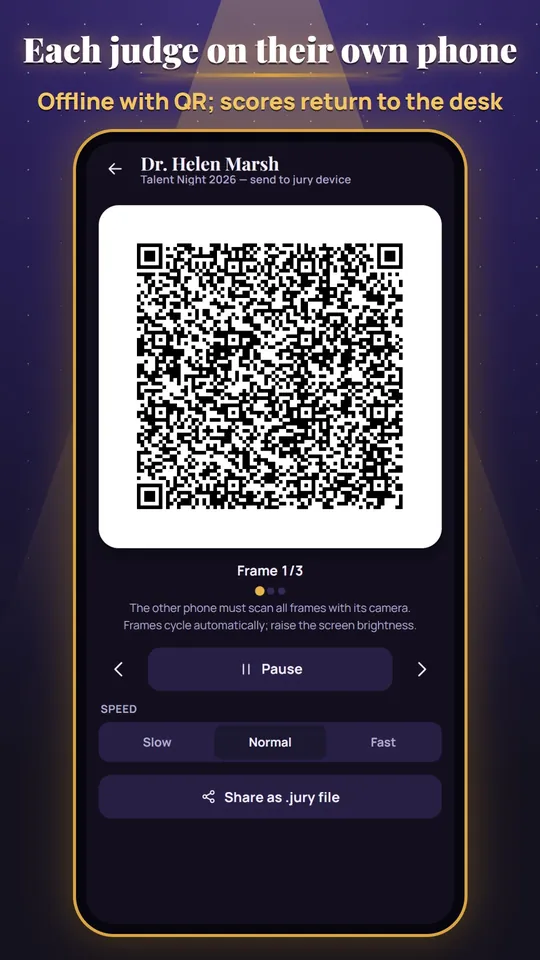
- The contest is passed to a judge's phone with a QR code; if it does not fit, the frames cycle automatically, or you can share a .jury file.
- Scores come back to the desk by QR or file. The camera is used only to read QR codes.
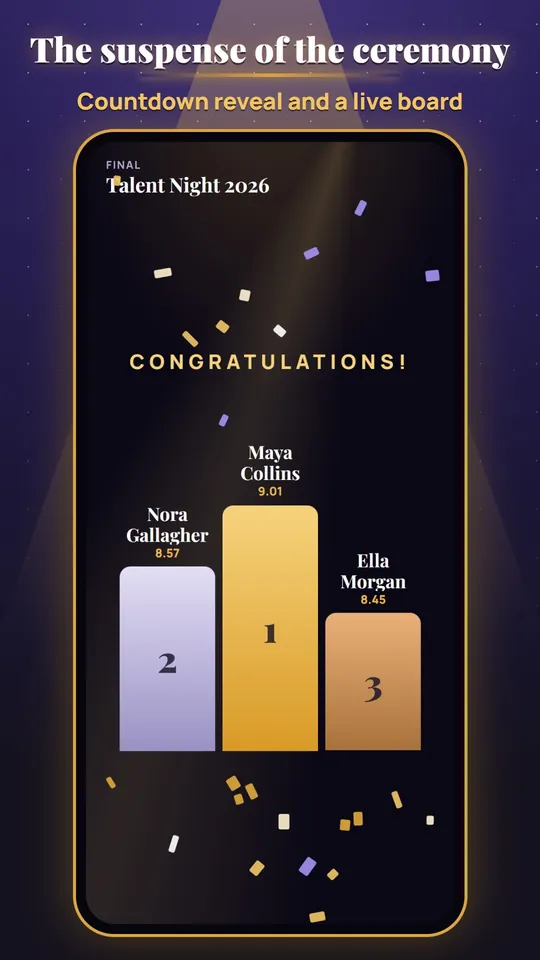
LIVE BOARD AND AWARDS CEREMONY
- A large live ranking board for the projector.
- A countdown awards reveal, from the last place to the winner.
OUTPUTS
- PDF jury minutes with a signature column, an all-scores table, blank score sheets and a performance order list.
- Certificates in 3 templates, a result card image and CSV table files.
Your data stays on your device
No account, no server: all data stays on your device only. A backup is a file you save yourself.
Free and ad-free
JudgeDesk is free and contains no ads and no in-app purchases. The interface is in Turkish and English, with a light and a dark theme.
Screenshots
The results podium, the scoring screen, the method comparison, a formula explanation, a QR hand-off to a judge's phone and the awards ceremony.
Set up your jury desk!
JudgeDesk is free. Download it now and run your next contest fairly, fast and paperless.