Clock In, Count It, Report It
A live shift timer, adjustable overtime rules, shift templates, annual leave and a PDF time card: your working hours in one place.
SHIFT TIMER AND RECORDS
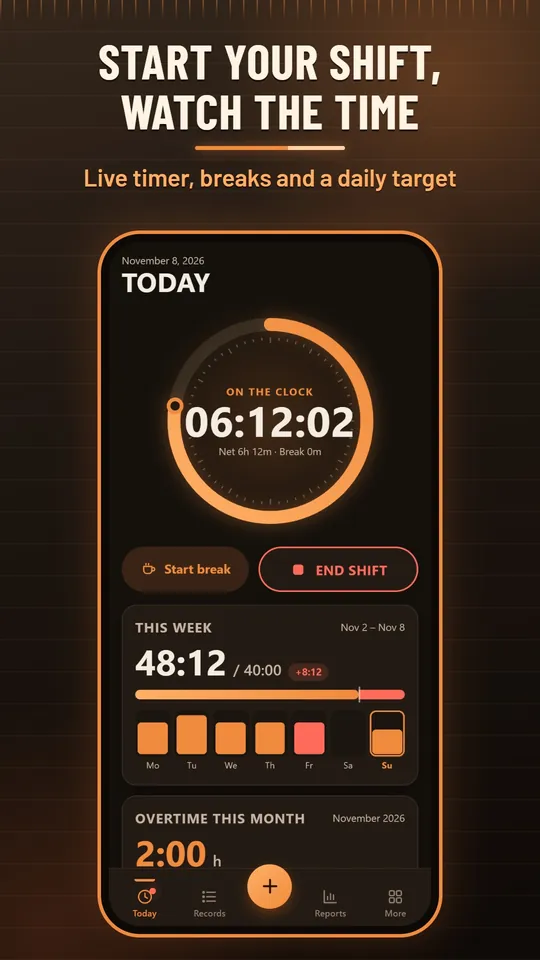
- A Start / End shift button with a live timer ring, break start and end, and a daily target.
- A shift that runs past midnight is split between the right days; the break is taken off the net time and can be suggested by shift length.
- Add a forgotten day by hand; entry types are work, rest-day work, public holiday work, annual leave, sick leave and excused absence, with notes and Undo.
OVERTIME AND PAY
- A weekly hours limit with a premium above it; extra rates for hours between contract and standard hours, for rest days and for public holidays. Turkish rules are the default and everything is adjustable.
- Warnings for the daily work limit and night work, a yearly overtime gauge, and a 12/36 calculation mode.
- Enter a monthly gross or an hourly rate to see estimated gross extra pay; see how a new entry changes the week before you save it.
SHIFTS AND ANNUAL LEAVE
- Templates for 08:00-17:00, 12/24, 12/36 and a weekly 3-shift rotation; apply one to the calendar and compare planned and actual hours.
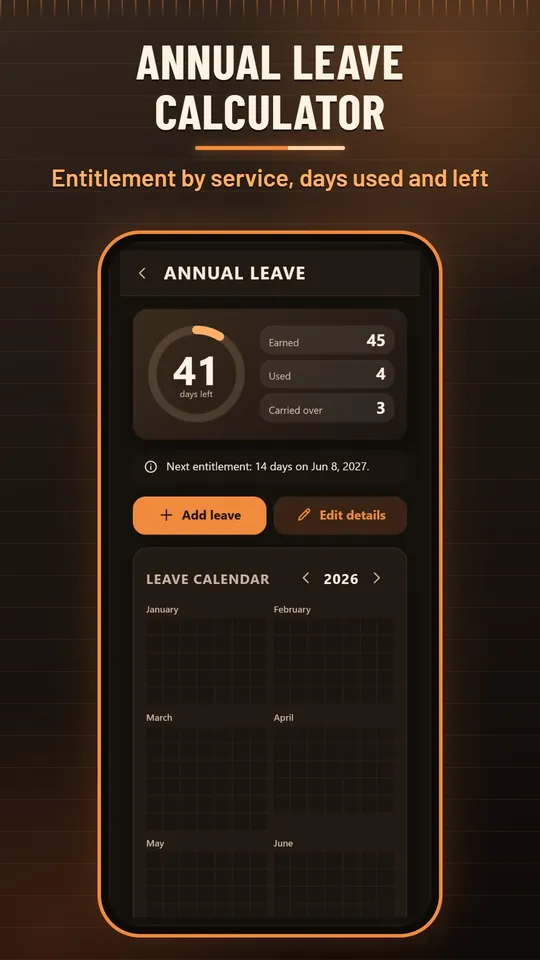
- Annual leave from your start date by length of service (14, 20 or 26 working days, at least 20 under 18 and over 50), with days used, days left, carry-over and a leave calendar.
- Optional reminders at shift start and end, set up on your phone without internet.
REPORTS AND PDF TIME CARD
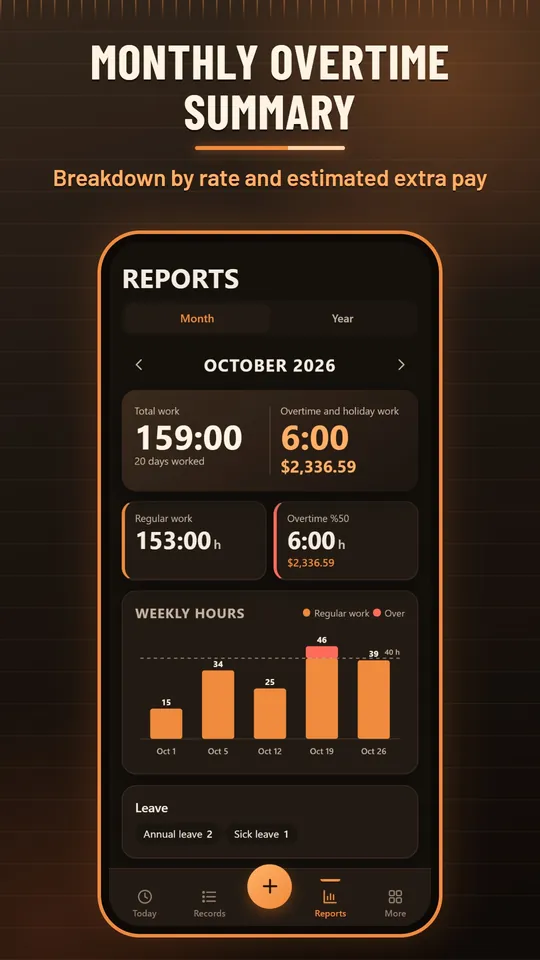
- A monthly summary with regular hours, overtime, a breakdown by rate and estimated extra pay; a weekly chart and a yearly view.
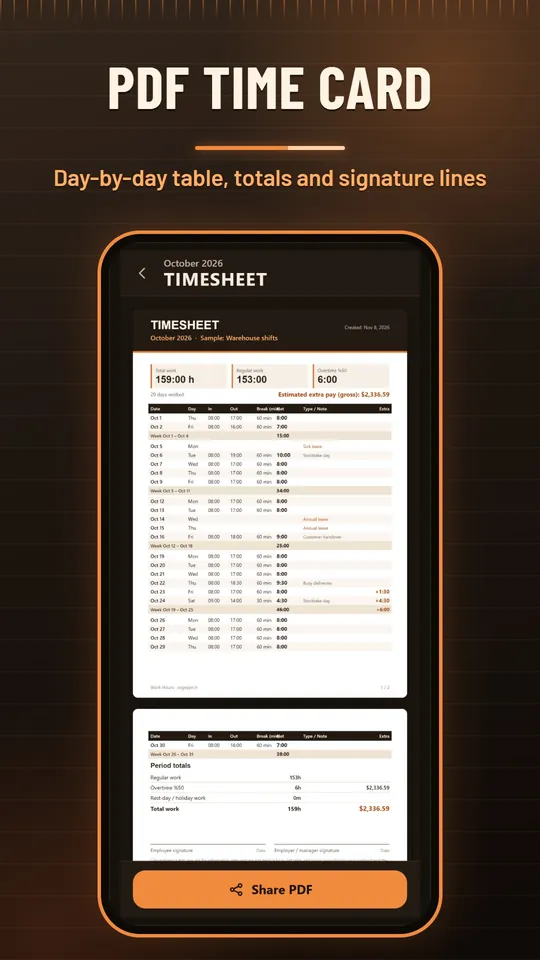
- A PDF time card with a day-by-day table, weekly subtotals, totals and signature lines.
- Share a spreadsheet file (CSV) or a text summary.
Why Work Hours?
A plain timesheet that keeps your data with you: no account, no ads, no purchases.
HEAT-MAP CALENDAR
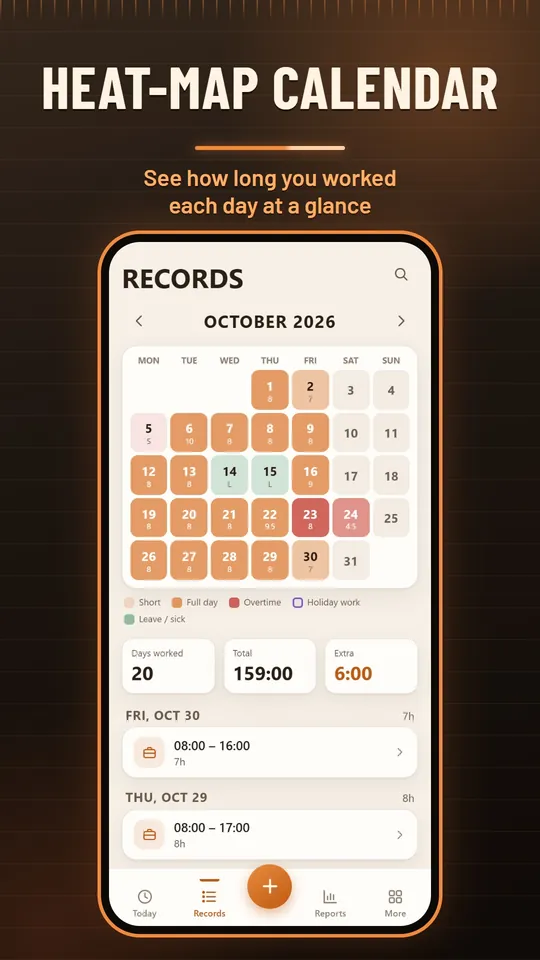
- See how long you worked each day at a glance; overtime, holiday work, leave and planned shifts are marked.
- Tap a day to see or add its entries; search notes, workplaces and types.
MORE THAN ONE JOB
- Each workplace keeps its own rules, pay and weekly totals.
- Switch workplaces from the home screen or filter the records and reports.
ADJUSTABLE RULES
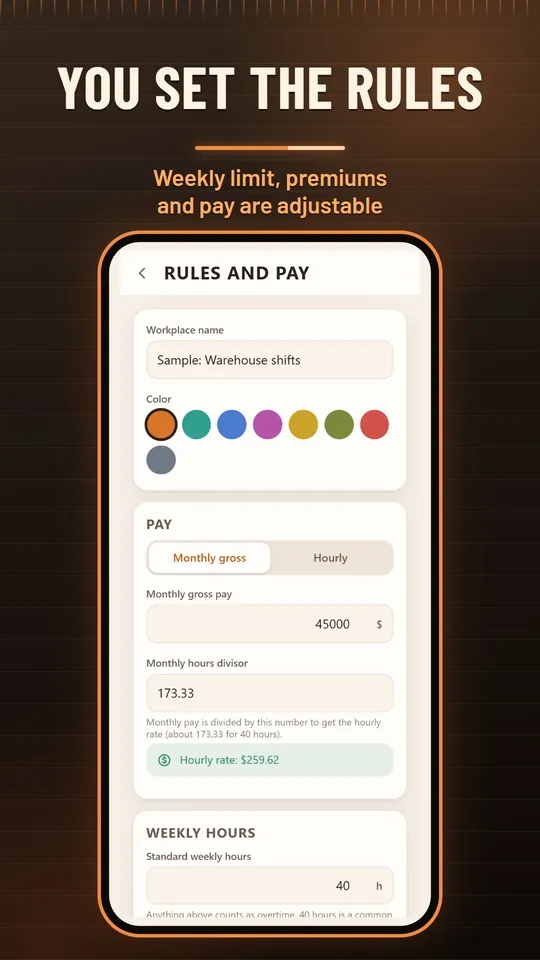
- Weekly limit, contract hours, premiums, warning limits and the monthly divisor are all editable.
- One-tap presets for Turkish rules and a general 40-hour week.
LIGHT AND DARK
- Light and dark themes, three text sizes, English and Turkish, and a layout that suits tablets.
- "Try with sample data" shows everything, and one tap removes it.
Backup without an account
A local copy is made automatically every day (the last 14 days are kept). Share a single backup file whenever you like and restore it on a new phone. Your data stays on your device only; if the phone is lost it cannot be recovered without your backup file.
Free app
Work Hours is free and contains no ads or in-app purchases. The interface is in English and Turkish. Calculations are for information only and are not professional advice; your employer's payroll is the official calculation.
Screenshots
The home timer, the monthly summary, the heat-map calendar, the PDF time card, the rules screen and annual leave.
Keep your timesheet on your phone!
Work Hours is free. Download it, tap Start shift and log your first day.