Collect, Track, Report
Dues plan with automatic monthly charges, two-tap collection, expenses and cash, debt reminders and PDFs for the noticeboard: everything about your building in one place.
BUILDING FACADE AND DUES PLAN
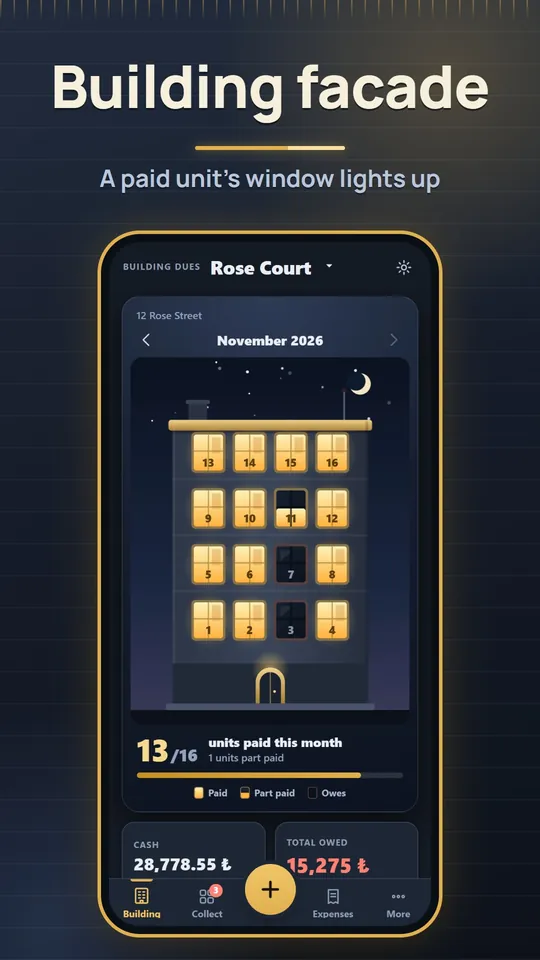
- The home screen shows your building floor by floor; a paid unit's window lights up, a part payment lights half of it and a unit that owes stays dark. Browse earlier months with the arrows.
- Create units fast by number range or by block, floor and units per floor; add owner, tenant, phone, m² and land share.
- Dues as a fixed amount, per m², or a monthly total split by m² or land share; every cent is allocated and the shares add up to the exact total. Charges are made automatically each month.
COLLECTION AND RECEIPTS
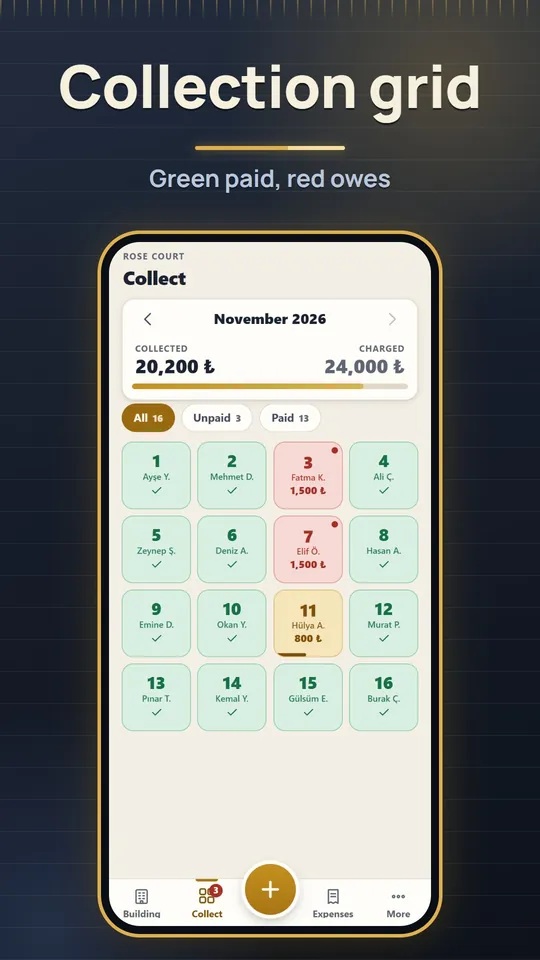
- A grid of units: green paid, red owes, yellow part paid. Tap a unit and confirm the amount; choose cash or bank transfer.
- Part payments go to the oldest debt; overpayments are applied to later months.
- A numbered receipt PDF for every payment; optional late fee with a rate you set (for information only).
EXPENSES AND CASH
- Categories for electricity, water, cleaning, lift, staff, fuel, garden, insurance and repairs, with a photo of the receipt.
- Recurring expenses such as the caretaker salary are added automatically every month.
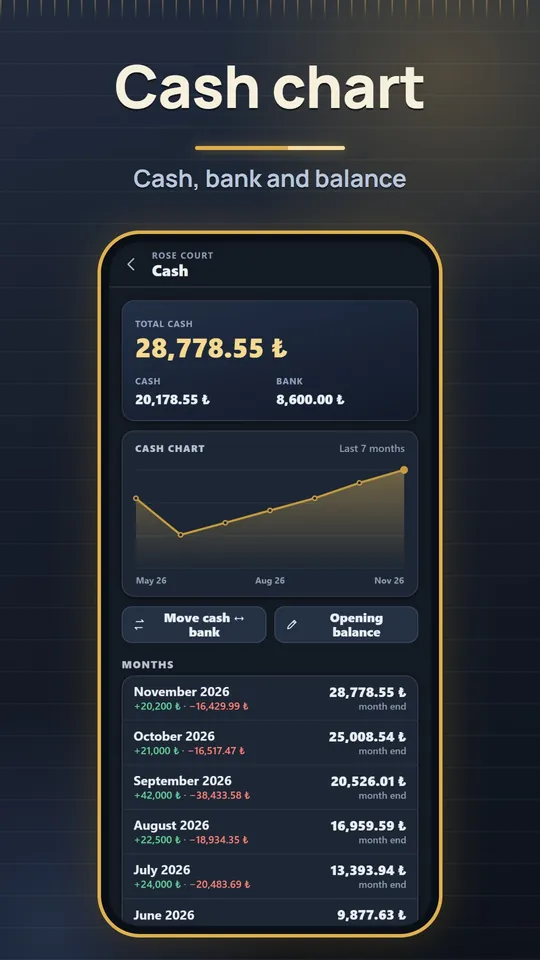
- Cash = opening balance + collections − expenses, with cash and bank tracked separately and a monthly balance chart.
WHO OWES, REPORTS AND NOTICES
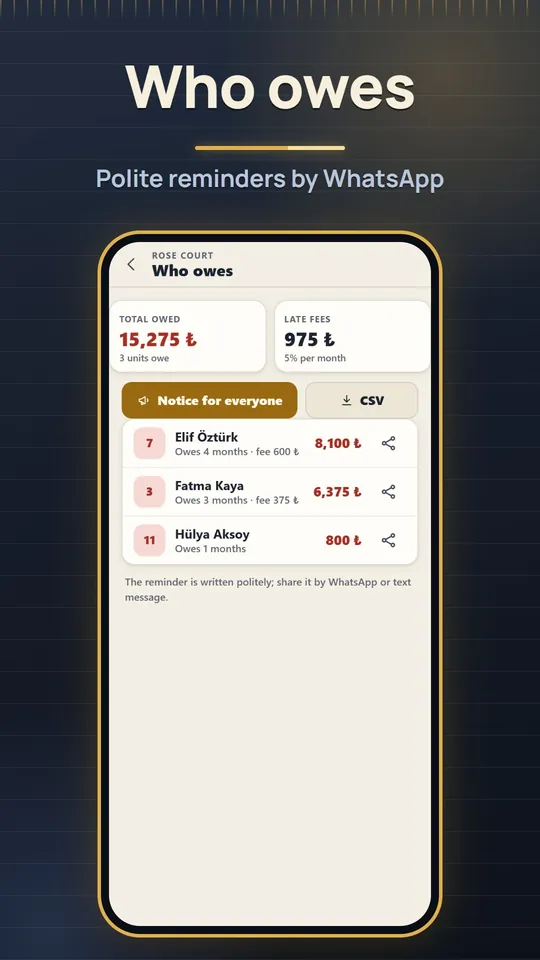
- The debt list shows months owed and totals; a polite reminder is prepared for each unit and shared with WhatsApp, and a notice for all residents is ready too.
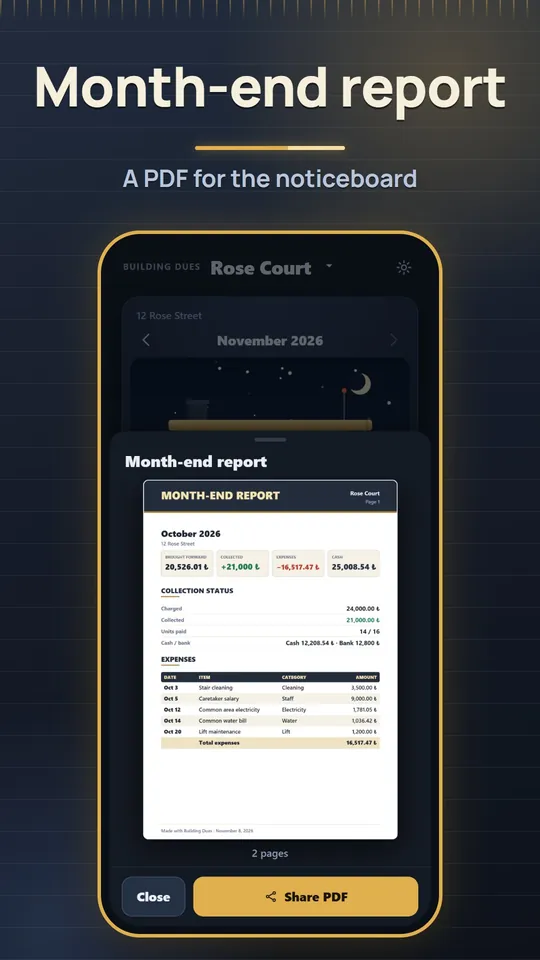
- A month-end report PDF for the noticeboard with income, expenses line by line and cash carried over; names of those who owe can be shown or hidden. An annual owners' meeting report is included.
- Notice templates for a water cut, a meeting call, lift service and a cleaning day as a large-headline A4 PDF.
Why Building Dues?
A plain ledger that keeps your data with you: no account, no ads, no purchases.
ONE-OFF CHARGES
- Split a roof repair, fuel share or paint job across the units equally, by m² or by land share.
- Raise the dues without touching the past: earlier months keep the old amount.
BUDGET PLAN
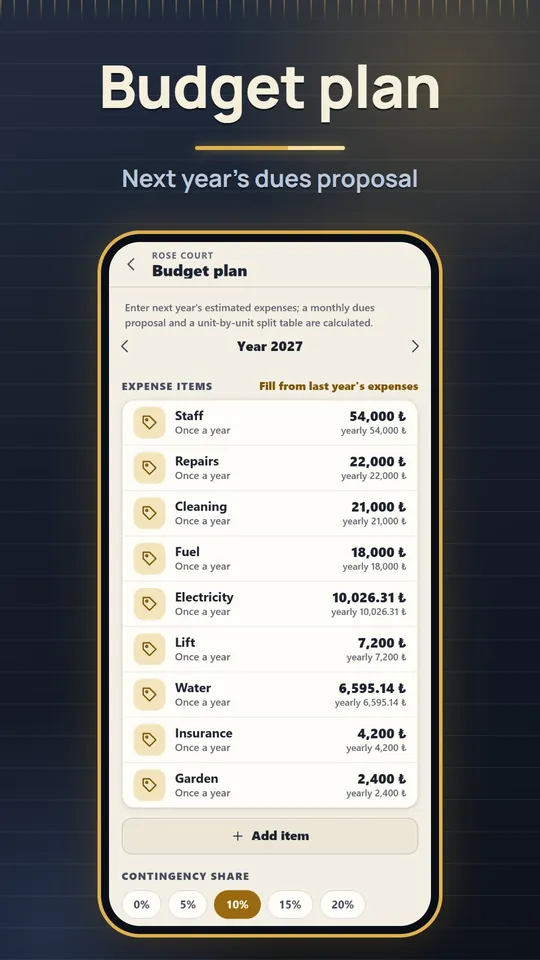
- Enter next year's estimated expenses, or fill them from the last 12 months.
- Get a monthly dues proposal and a unit-by-unit split table as a PDF, and turn it into the dues plan in one tap.
DETAILS PER UNIT
- Unit-specific dues, exempt units such as a caretaker flat, opening debts or credits.
- A full statement for each unit with months, payments and receipts.
MORE THAN ONE BUILDING
- Add several buildings or complexes with blocks and switch between them from the top of the screen.
- "Try with sample data" shows everything and is deleted in one tap.
Backup without an account
A local copy is made automatically every day (the last 14 days are kept). Share a single backup file whenever you like, with receipt photos if you want, and restore it on a new phone. Your data stays only on your device; if the phone is lost it cannot be recovered without your backup file.
Free app
Building Dues is free and contains no ads or in-app purchases. The interface is in Turkish and English. Calculations are for information only; check your management plan and owners' meeting decisions for dues, late fees and split rules.
Screenshots
Building facade, collection grid, month-end report, who owes, cash chart and budget plan.
Take your building's ledger onto your phone!
Building Dues is free. Download it, set up your building and enter your first collection.